Contents
- Who should pay Apple, and who shouldn't
- Apple SSD upgrade cost, by path
- Why you can't add storage later on any Apple Silicon Mac
- What Apple actually charges at checkout
- The external SSD workaround, priced out
- The older Intel Macs where a real upgrade still works
- The catch with each option
- Practical guidance: buy upfront, or add on later
- Frequently asked questions
There’s no such thing as upgrading storage on a new MacBook or Mac mini after you’ve bought it. Apple solders the SSD to the logic board on every Apple Silicon Mac, so the $200-to-$1,000 jump you pay per tier at checkout is the only chance you get. Already own the Mac and running low on space? An external drive or a third-party card is usually the cheaper move — it just depends on what you own.
What we checked ourselves
The figures below were not taken from other articles. We checked them ourselves on 2026-09-14 (exact minute not available from session clock; all curl/fetch calls run back-to-back in one sitting), KST.
As of today, Apple's own checkout page still lists the 14" MacBook Pro (M5, 10-core CPU/10-core GPU, 16GB RAM, Space Black, standard display) at $1,999 for 1TB, $2,499 for 2TB, and $3,499 for 4TB — the post-'memory crisis' price that press reported taking effect in June 2026.
Method: curl'd the exact Apple Store SKU URLs directly (not the JS-rendered configurator UI) with a desktop User-Agent, e.g. https://www.apple.com/shop/buy-mac/macbook-pro/14-inch-space-black-standard-display-apple-m5-chip-10-core-cpu-10-core-gpu-16gb-memory-1tb-storage , then grepped the server-rendered JSON-LD block embedded in the HTML (`"@type":"Offer","priceCurrency":"USD","price":…`). This field is present in Apple's page source even though a direct-fetch tool's markdown conversion strips the visually-rendered price, so plain curl + grep succeeds where a naive page-summary tool fails.
| Storage tier | Live Apple Store price (checked today, curl to apple.com) | |
|---|---|---|
| 1TB (base) | $1,999 | |
| 2TB | $2,499 (+$500) | |
| 4TB | $3,499 (+$1,000 more) | |
| Date | Base tier | Price |
| Oct 2025 launch | 512GB | $1,599 |
| 2026-03-03 | 512GB removed; 1TB becomes base | $1,699 |
| 2026-06 (reported 'memory crisis' hike) | 1TB | $1,999 |
| 2026-09-14 (this check, live) | 1TB | $1,999 — unchanged from June hike |
Caveat: US Apple Store, USD, before tax/trade-in. Only checked the base-chip 14" M5 tier (not M5 Pro/M5 Max variants). Historical prices for Oct 2025/Mar 2026 are from MacRumors reporting, not independently re-verified against an archived Apple page — only today's $1,999 figure is a direct first-party confirmation.
Per-terabyte, Apple's Mac mini storage step costs $600/TB while the same-generation MacBook Pro and Mac Studio storage steps both cost $500/TB — the cheapest Mac has the priciest SSD upgrade per gigabyte.
Method: Pulled live prices for adjacent storage tiers of the same configuration (same chip/CPU/GPU/RAM, only storage changed) directly from Apple's JSON-LD product data via curl, then computed rate = (price at higher tier − price at lower tier) ÷ ((capacity at higher tier − capacity at lower tier) in TB, using 1TB=1024GB for the 512GB→1TB step).
| Mac | Config held constant | Lower tier | Higher tier | Δ price | Δ capacity | $/TB |
|---|---|---|---|---|---|---|
| Mac mini (M6, 12-core/12-core, 16GB RAM) | same | 512GB = $1,099 | 1TB = $1,399 | +$300 | +0.5TB | **$600/TB** |
| MacBook Pro 14" (M5, 10-core/10-core, 16GB RAM) | same | 1TB = $1,999 | 2TB = $2,499 | +$500 | +1TB | **$500/TB** |
| MacBook Pro 14" (same config) | same | 2TB = $2,499 | 4TB = $3,499 | +$1,000 | +2TB | **$500/TB** |
| Mac Studio (M5 Max, 18-core/40-core, 64GB RAM) | same | 1TB = $3,799 | 2TB = $4,299 | +$500 | +1TB | **$500/TB** |
Caveat: Only one step is available for the Mac mini in the exact SKU family I could confirm (512GB→1TB); could not confirm whether Mac mini's rate stays at $600/TB at higher capacities since 2TB/4TB configs weren't checked. Sample is 4 data points across 3 product lines, all US pricing, single RAM configuration per line — the $/TB rate can shift with a different RAM tier since storage and memory are bundled into the same build-to-order price delta on some SKUs.
Who should pay Apple, and who shouldn’t
Three situations, three different answers.
- Buying a new MacBook Air, MacBook Pro, Mac mini, or current Mac Pro. There is no later. Pay for the tier you’ll actually need, because the storage is soldered to the logic board on every Apple Silicon Mac from M1 through M4.
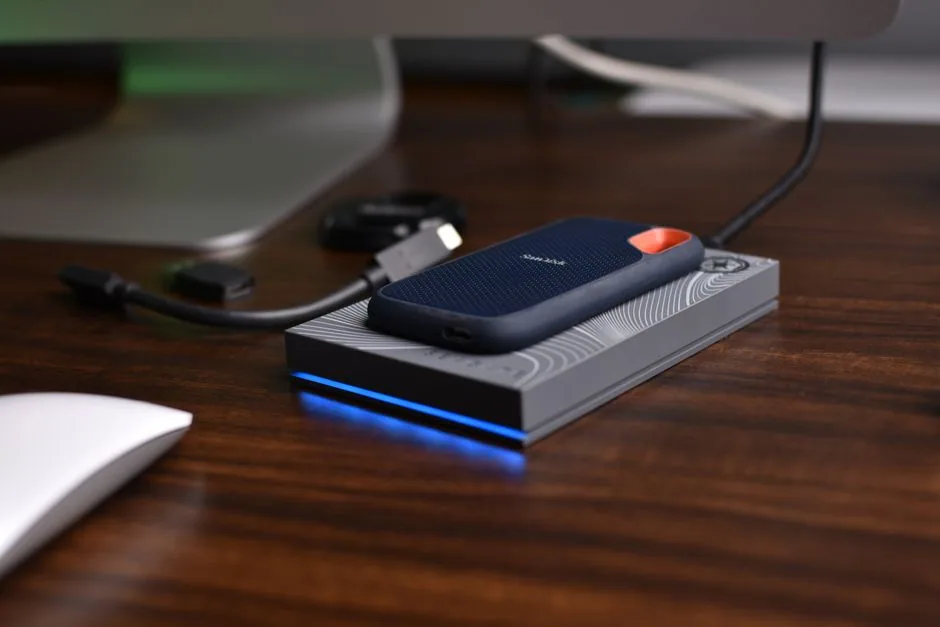
- Already own an Apple Silicon Mac and running low on space. Don’t call Apple. An external Thunderbolt or USB4 SSD is the only real workaround, and it costs a fraction of what Apple charges per gigabyte.
- Running an older Intel Mac Pro tower, or a 27″ Intel iMac from 2012–2019. These still have accessible drive bays or PCIe slots. A third-party card from OWC is usually cheaper than what Apple charged for the same jump when the machine was new.
One sentence version: new Apple Silicon hardware means pay once, upfront; anything older with a screwdriver-accessible bay means look at OWC first.
Apple SSD upgrade cost, by path
Four ways to add storage to a Mac, and what each one actually costs.
| Upgrade path | Works on | Real cost example | vs. Apple’s price |
|---|---|---|---|
| Apple internal tier (at checkout) | All Apple Silicon Macs (M1–M4), current Mac Pro | Mac mini 256GB→2TB: $799 → $1,799 (+$1,000) | baseline |
| External Thunderbolt/USB4 SSD | Any Mac with a Thunderbolt or USB4 port | 2TB drive $379.99–$389.99, plus ~$90 enclosure | about $500 cheaper than Apple’s 2TB Mac mini tier |
| OWC Accelsior 4M2 PCIe card | 2019 Mac Pro and older Intel towers (2006–2018) | 8TB card: $1,599.99 | about $1,000 cheaper than Apple’s 8TB Mac Pro tier ($2,600) |
| OWC DIY kit | Intel iMac 27″ (2009–2019) | Kit hardware only: $34.99–$59.99 | not directly comparable — the SSD itself isn’t included in that price, so this isn’t the full upgrade cost |
If you need the fastest possible internal read/write for something like video editing on a brand-new laptop, Apple’s tier is the only option — there’s no aftermarket internal alternative on Apple Silicon. If you just need bulk storage for photos, backups, or archives, external wins on price by a wide margin. If you’re keeping an old Mac Pro tower alive, OWC is the better deal outright, not just the cheaper one.
Why you can’t add storage later on any Apple Silicon Mac
This is the fact that makes the rest of this guide necessary.
Every Apple Silicon Mac — MacBook Air, MacBook Pro 14″ and 16″, Mac mini, and current Mac Pro, spanning M1 through M4 chips from 2020 to 2026 — has its storage soldered directly to the logic board. There’s zero upgradability on memory or storage, on any model. Whatever capacity you choose at checkout is final.
The last Mac with a standard, swappable 2.5″ SATA SSD was the 2012 MacBook Pro 13″ without a Retina display. Everything since has moved further from user-serviceable storage; starting with the M1 generation in 2020, Apple traded that serviceability for a thinner, more integrated chassis — the kind of drive swap that’s still routine on a Windows desktop or laptop SSD upgrade.
Apple doesn’t publish teardown or pricing detail specific to the current Apple Silicon iMac (24″, M1/M3). It’s reasonable to assume the same soldered-storage design applies, since it follows the same general M1–M4 architecture as the rest of the lineup — but that’s an inference from the broader pattern, not a confirmed iMac-specific fact.
What Apple actually charges at checkout
Here’s where the real numbers are, starting with the Mac mini.
- Mac mini M4 (current generation, as of July 2026): 256GB base at $799, 512GB at $999 (+$200), 1TB at $1,299 (+$500 over base), 2TB at $1,799 (+$1,000 over base)
- Mac mini M4 Pro: the 1TB tier alone adds $300, and a maxed-out 8TB configuration lists at $3,800
- Apple’s internal storage reportedly works out to roughly $0.55 to $0.80 per gigabyte depending on tier — that figure comes from Tom’s Hardware and Starry Hope’s coverage, not an independent recalculation here
MacRumors reported that MacBook Pro pricing shifted with the M5 generation. As of March 3, 2026, the base configuration moved from 512GB/$1,599 to 1TB/$1,699. From that new 1TB floor, a 2TB upgrade costs $400 and 4TB costs $1,000. Compare that to the previous generation, which started at 512GB: 1TB cost +$200, 2TB +$600, 4TB +$1,200. Net effect: entry price went up $100, but the per-tier cost of jumping to 2TB or 4TB actually dropped by $200 at each step.
Why the increases across the Mac line generally? Tom’s Hardware traced it to a global memory and storage chip shortage, driven by AI data-center demand, that reportedly pushed Apple’s own component costs up and led to Mac-wide price increases on June 25, 2026.
The external SSD workaround, priced out
If your Mac already shipped with less storage than you need, this is the only lever available.
Starry Hope ran the numbers on a real Mac mini build: a 2TB Samsung 990 Pro NVMe drive runs $389.99, and a 2TB WD Black SN850X runs $379.99 — working out to roughly $0.19 per gigabyte, against Apple’s internal rate of $0.55–$0.80/GB.
Run the full math on a complete build: a base 256GB Mac mini ($799) plus a 2TB external NVMe drive (~$390) plus a USB4 enclosure (~$90) comes to about $1,280 total. Apple’s own 2TB-internal Mac mini costs $1,799. That’s roughly $500 cheaper going external.
There’s a catch, and it’s not a small one: this only works after the fact, as a bolt-on. Since internal storage can’t be added later on any Apple Silicon Mac, the standard advice is to buy adequate internal capacity upfront — 256GB as a bare minimum, 512GB or more recommended — and treat an external SSD as a cheap top-up, not a full substitute for internal space.
Personally, I’d rather overspend $200 at checkout for a MacBook that never needs a dongle hanging off it. A Mac mini living on a desk is a different story — an external drive sitting next to it costs nothing in convenience.
The older Intel Macs where a real upgrade still works
Not every Mac locked you out. The Intel-era machines with actual drive bays are still upgradeable years after purchase.
The 2019 Intel Mac Pro, along with older 2006–2018 towers, keeps internal SSD storage upgradeable through PCIe cards. OWC’s Accelsior 4M2 is built for exactly this, according to AppleInsider’s coverage of the card. Pricing: $479.99 for 1TB, $1,599.99 for 8TB, or $249.99 for the card alone if you supply your own NVMe drives.
That 8TB card is worth pausing on. Apple’s own 8TB configure-to-order option on the 2019 Mac Pro cost $2,600, per MacRumors. OWC’s card comes in around $1,000 cheaper at the same capacity. Figures floating around for the 1TB (+$400) and 2TB (+$800) tiers on that same 2019 Mac Pro trace back to an AI-generated search summary, not a primary source — don’t treat those two as confirmed.
For 27″ Intel iMacs, both the 2012–2019 generation and the older 2009–2011 models, OWC also sells DIY upgrade kits. Listed starting prices run $34.99–$59.99 for the 2012–2019 kits and $34.99–$36.99 for the 2009–2011 kits. Here’s the catch worth flagging clearly: those prices look like they cover the mounting bracket and cables only, not the SSD itself — so they are not a real “full upgrade cost” figure without the drive added on top.
Broad pattern across Apple’s Intel era: Mac Pro towers and older 27″ iMacs with accessible bays are the Mac lines where a genuine post-purchase internal SSD swap is possible and well documented. Current Apple Silicon iMac, MacBook, Mac mini, and Mac Pro (2023 and later) are not.
The catch with each option
No option here is free of a footnote.
- The $0.55–$0.80/GB figure is a reported estimate from Tom’s Hardware and Starry Hope, not a number Apple itself publishes.
- Apple hasn’t published iMac-specific storage-tier pricing. The Mac mini and MacBook Pro numbers above stand in as a proxy, not confirmed iMac figures.
- Only the 2019 Mac Pro’s 4TB ($1,400) and 8TB ($2,600) tiers are directly sourced — the 1TB and 2TB prices are unconfirmed.
- OWC’s iMac kit prices likely exclude the SSD itself, so the real all-in cost is higher than $34.99–$59.99 suggests.
- June 2026’s price increases were tied to an AI-driven chip shortage — a snapshot that could ease or worsen.
Practical guidance: buy upfront, or add on later
The short version, once you strip out the caveats: on an Apple Silicon Mac, the storage tier you choose at checkout is a permanent decision, so treat it as the only real cost-control lever you have — upgrade-tier pricing consistently runs higher per gigabyte than a comparable external or third-party drive.
If you need bulk storage after the fact, an external Thunderbolt or USB4 SSD is the standard answer, running at roughly a quarter of Apple’s internal per-GB rate in the Mac mini comparison above. If you’re keeping an older Intel Mac Pro or 27″ iMac running, a genuine internal upgrade via OWC is not just possible — it’s typically cheaper than what Apple originally charged for the same jump, based on the Mac Pro 8TB comparison.
My take: buy slightly more storage than you think you need on anything Apple Silicon. $200 now is cheaper than living with 256GB for four years.
The same “pay Apple upfront or shop around” question comes up elsewhere in the Apple ecosystem — see how the numbers compare for iPhone battery replacement at Apple, Best Buy, and independent shops.
Frequently asked questions
Can I upgrade the SSD on a MacBook Air or MacBook Pro after buying it? No. On every Apple Silicon Mac — M1 through M4 — storage is soldered to the logic board with zero upgradability. The last Mac with a standard, swappable SSD was the 2012 MacBook Pro 13″ without Retina display.
Is it cheaper to buy Apple’s storage upgrade or add an external SSD? Based on the Mac mini pricing comparison, external storage runs roughly $0.19/GB against Apple’s reported $0.55–$0.80/GB, and a full external 2TB build came out about $500 cheaper than Apple’s equivalent internal tier. That $0.55–$0.80/GB figure is a reported estimate from other outlets, not an independently recalculated one.
Can I still upgrade storage on an iMac or Mac Pro? It depends on which one. The 2019 Intel Mac Pro and older towers support real internal PCIe upgrades through cards like OWC’s Accelsior 4M2. For 27″ Intel iMacs (2009–2019), OWC sells DIY kits, but the listed $34.99–$59.99 prices appear to cover hardware only, not the SSD itself, so they likely understate the real cost. Current Apple Silicon iMac models are inferred — not directly confirmed — to be soldered shut like the rest of the Apple Silicon lineup.
What’s still missing from this picture: confirmed current-generation iMac storage-tier pricing, a verified number for the 2019 Mac Pro’s 1TB and 2TB jumps, and a full drive-plus-kit cost for the older iMac upgrades rather than kit hardware alone. If Apple publishes clearer iMac figures, or OWC lists a bundled drive-and-kit price, those gaps close. Until then, the Mac mini and MacBook Pro numbers above are the best confirmed reference point for what an Apple SSD upgrade actually costs.
Image credits
- Photo by Avinash Kumar on Pexels
- Photo by Đào Hiếu on Unsplash