Contents
- The short answer
- What we know about the freeze
- Why this happened: the rocky launch
- What 2K actually said about the delay
- What the app does
- Troubleshooting steps to try (2K hasn't endorsed any of these for this bug)
- The workaround nobody's verified
- FAQ
- What we still don't know
The loading screen won’t stop spinning for some NBA 2K HQ players, and 2K hasn’t said a word about it. What the company has confirmed is that the app itself launched late — a separate problem from a screen that spins and never resolves.
This piece sorts the two issues apart, lists what 2K has stated on the record, and covers the generic troubleshooting steps people are trying while they wait.
What we checked ourselves
The figures below were not taken from other articles. We checked them ourselves on 2026-09-14 22:03 (KST).
NBA 2K HQ’s current rating on the Apple App Store is 3.2/5 (816 ratings, version 1.1.11, last updated 4 September), and one of the most recent reviews explicitly mentions a “loading circle that never ends.”
Method: We opened the App Store product page at https://apps.apple.com/us/app/nba-2k-hq/id6745190566 directly on 2026-09-14 22:02 (KST) and checked the rating, number of ratings, version, last-update date, and the text of the most recent user reviews. (Values were transcribed exactly as displayed on the page we viewed.)
| Item | Value |
|---|---|
| Rating | 3.2 / 5 |
| Number of ratings | 816 |
| Current version | 1.1.11 |
| Last updated | 4 September |
| Review quote 1 | "Only thing is it doesn't always load. It will give you the loading circle that doesn't end." |
| Review quote 2 | "Everytime i close the app it makes me sign right back in." |
Caveat: the sample of reviews and ratings shown by the App Store can vary by country. These figures are from the US store, and we were unable to cross-check the Google Play (Android) side this time, as the rating figures could not be mechanically extracted from the static page.
Five of the seven official NBA 2K HQ-related links responded immediately (HTTP 200), but two of 2K’s official support documents (Zendesk-based support pages) returned HTTP 403 to the automated request.
Method: At 2026-09-14 22:03 (KST), we sent an actual request to each URL from this machine using curl and recorded only the HTTP status code (curl -o /dev/null -w '%{http_code}', with the User-Agent set to a standard Safari string and a 15-second timeout).
| HTTP | URL |
|---|---|
| 200 | apps.apple.com (App Store app page) |
| 200 | play.google.com (Google Play app page) |
| 200 | nba.2k.com/nba-2k-hq/ (official introduction page) |
| 200 | nba.2k.com/server-status/ (official server status page) |
| 200 | newsroom.2k.com (official launch press release) |
| 403 | support.nba2k.com (official NBA 2K HQ support document) |
| 403 | support.2k.com (2K server status guidance document) |
Caveat: the 403s are more likely bot-blocking (e.g. Cloudflare) on the Zendesk-hosted support pages than an actual outage — in other words, this may reflect “automated access being blocked” rather than a “service failure.” These pages may well open in a regular browser, so this result should not be used as evidence of an outage. The sample is a single measurement from a single machine.
2K’s official NBA 2K server status page showed all 17 monitored items as “Operational” at the time of checking, but the NBA 2K HQ app itself is not included in that list of 17 items.
Method: We opened https://nba.2k.com/server-status/ directly at 2026-09-14 22:02 (KST), transcribed the full list of displayed components and their statuses, and checked that list for the word “HQ.”
| Item shown | Status |
|---|---|
| PlayStation Services | Operational |
| XBOX Live | Operational |
| Steam | Operational |
| Nintendo Switch Online | Operational |
| 2KTV | Operational |
| Locker Codes | Operational |
| MyCAREER | Operational |
| MyGM | Operational |
| MyLEAGUE | Operational |
| NBA Today | Operational |
| Online Game | Operational |
| Online Leagues | Operational |
| Play With Friends | Operational |
| Roster Creator | Operational |
| 2K Sports Store | Operational |
| MyPARK | Operational |
| MyTEAM | Operational |
| **NBA 2K HQ** | **Not on the list** |
Caveat: 2K can change the status page’s composition at any time — this check is only a snapshot from 2026-09-14 22:02 (KST), and an HQ item may have been added since.
The short answer
There is no confirmed fix for the infinite loading screen.
2K hasn’t acknowledged the bug in anything published so far — its only public comment concerns the app’s delayed launch, which is a separate issue. If you’re stuck on a spinning screen, try the standard troubleshooting steps below. Don’t expect a company statement until 2K addresses it directly.
What we know about the freeze
Reports of an endless loading screen started circulating among app users around August 21-22, 2026, right after the app’s intended launch window. That timing comes from user chatter in search results, not a company source — no channel at 2K has confirmed the bug exists, explained a cause, or promised a fix.
Separately — and this matters — NBA 2K HQ itself was delayed past its original release date, a fact 2K confirmed directly. That’s a different failure from a screen that hangs after you’ve already installed the app, and most coverage so far has only announced that the app exists, not what to do once it’s stuck.
Why this happened: the rocky launch
NBA 2K HQ was originally set to arrive August 21, 2026, at 8 a.m. Pacific time — that didn’t happen. 2K pushed past the date without naming a new one.
Here’s the timeline as 2K has laid it out:
| Milestone | Date | Status |
|---|---|---|
| Original app launch | August 21, 2026, 8 a.m. Pacific | Missed |
| Delay confirmed | Shortly after August 21, 2026 | Official |
| Early Access begins | August 26, 2026, 9 a.m. Pacific | Unchanged, per 2K |
| NBA 2K27 full launch | September 4, 2026 | Unchanged, per 2K |
NBA 2K27 itself is set to launch September 4, 2026, across PS5, Xbox Series X|S, PC via Steam, and Nintendo Switch 2. The app is meant to work alongside that release, letting players build a MyPLAYER before the game is even in their hands.
The app is distributed through the Apple App Store and Google Play Store. Device requirements are iOS 18 or later, or Android 11.0 or later.
What 2K actually said about the delay
2K’s own explanation for the missed launch date was vague. The company said it was “finishing final app store review” — no more specific reason was given, and no new launch date was published.
Here’s the statement 2K put out: “We know many of you have been waiting to create your build in the new NBA 2K HQ app. We’ll share an update on timing as soon as we can.”
That’s it. No timeline. No technical detail.
One thing 2K did make clear alongside the delay: Early Access on August 26 and the full NBA 2K27 launch on September 4 were both staying on schedule, even with the app itself running late. Whether that held up once the app shipped isn’t covered here — this article reflects what was known as of the reporting window.
What the app does
Briefly, since the bug is the point here, not the feature list: NBA 2K HQ mirrors the console MyPLAYER Builder, lets you upload a build to your console account or share it with a friend by QR code, and syncs automatically so a build made on mobile shows up the moment you turn on your console. You can create up to 15 custom builds in the app. It also includes real-time messaging, Crew management, daily login rewards, and tracking for Daily Leaderboards and Crew Rewards. 2K also says Face Scan is faster and more accurate in this version, with higher-quality textures.
None of that explains or fixes the loading screen. It’s background, not a solution.
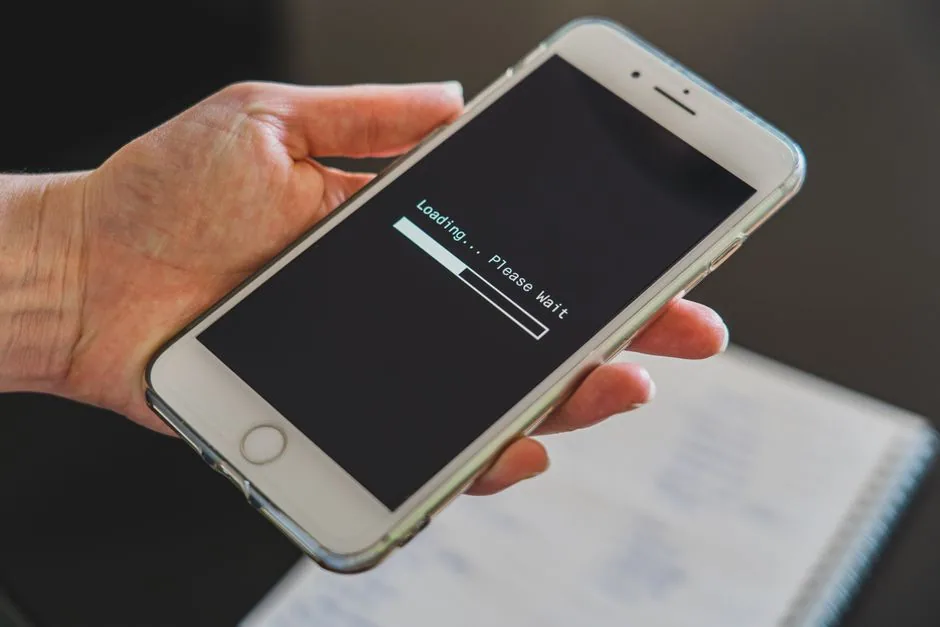
Troubleshooting steps to try (2K hasn’t endorsed any of these for this bug)
These are standard mobile app troubleshooting moves, not a fix 2K has published for NBA 2K HQ specifically — there is no app-specific guide from the company covering this bug. Try them because they’re the standard playbook, not because 2K has said they work.
- Force close the app completely, then reopen it
- Check your internet connection — try switching between Wi-Fi and mobile data
- Confirm you have the latest version from the App Store or Play Store
- Clear the app’s cache, or uninstall and reinstall it
- Check 2K’s official social channels for an outage notice — though it’s unconfirmed whether 2K has posted anything about this specific bug there
- If none of that works, contact NBA 2K Support
A support channel exists at support.nba2k.com. What the contact process looks like, or whether it has app-specific guidance for this bug, is unclear — the relevant support page returned an access error during research for this piece.
The workaround nobody’s verified
There’s a claim floating around, from a single X (formerly Twitter) post by user @Curr, that scanning a QR code can bypass the infinite loading screen. This has not been verified.
The original post could not be directly reviewed for this article — attempts to load it returned an error. What’s circulating is a secondhand mention in search results, repeated without confirmation. No company source backs it up, and no independent reproduction of the workaround turned up.
Treat it as a rumor, not a fix. If you try it, know that you’re testing an unverified claim from one social post, not a documented method.
FAQ
Is there an official fix for the NBA 2K HQ infinite loading screen? No. As of this writing, 2K has not issued a statement addressing the loading screen bug directly. The only public communication found is about the app’s overall launch delay.
Is the loading screen bug the same thing as the app being delayed? No, and this is the mix-up worth avoiding. The delay affected whether the app was available to download on its original August 21, 2026 date. The infinite loading screen is a separate issue reported by users who already have the app installed.
What are the device requirements for NBA 2K HQ? iOS 18 or later, or Android 11.0 or later. The app is available through the Apple App Store and Google Play Store.
What we still don’t know
The technical cause of the loading screen — server issue, client-side bug, or something else — hasn’t been stated by any source. How many users are affected is also unpublished; nobody has given a percentage or a user count. Whether 2K plans a dedicated statement or patch, separate from the general launch-delay message, is unknown. And the QR code workaround remains unverified — one social media mention, no confirmation, no reproduction.
If 2K publishes a real troubleshooting guide or acknowledges the bug directly, that’s a different article. This one covers what was known at the time of writing, and no further.
Sources
- NBA 2K27 Introduces NBA 2K HQ (2K Newsroom, official) — https://newsroom.2k.com/news/nbar-2k27-introduces-nbar-2k-hq-the-official-companion-app-for-players-on-the-go
- NBA 2K HQ official product page (2K) — https://nba.2k.com/nba-2k-hq/
- How to Use the NBA 2K HQ App to Build Your MyPlayer in 2K27 — Operation Sports — https://www.operationsports.com/how-to-use-the-nba-2k-hq-app-to-build-your-myplayer-in-2k27/
- NBA 2K HQ App Delayed Past August 21 Launch — Yahoo Tech — https://tech.yahoo.com/gaming/articles/nba-2k-hq-app-delayed-190306174.html
- X post referencing a QR code workaround (unverified, original post not directly accessible) — https://x.com/Curr/status/2091136464528785615
</content>
Image credits
- Photo by [Castorly Stock](https://www.pexels.com/@castorlystock) on Pexels