Contents
- What Sony Actually Requires From a PS5 SSD
- What We Actually Checked, Ourselves
- Step 1 — Confirm the Interface: PCIe Gen4, Not Gen3
- Step 2 — Match the Physical Size: Form Factor and Thickness
- Step 3 — Don't Skip the Heatsink
- Step 4 — Check Capacity: 250GB to 8TB
- Where People Get Stuck: Gen5, HMB, and Specs Nobody Confirmed
- If You'd Rather Not Chase Down Every Spec
- FAQ
Sony’s PS5 SSD spec fits in one sentence: PCIe Gen4x4 NVMe, 5,500MB/s minimum, one of five sizes, a heatsink, and 250GB to 8TB of capacity. If you’re shopping for a drive right now, that’s not the hard part — most buying guides skip the part that actually matters: how close drives run to that minimum, and where Sony’s own wording leaves room.
What Sony Actually Requires From a PS5 SSD
Sony’s support page reduces to seven lines:
- Interface: PCI-Express Gen4x4 NVMe SSD, Key M, Socket 3
- Minimum sequential read: 5,500MB/s or faster — Sony calls this “recommended,” not a hard cutoff
- Supported form factors: 2230, 2242, 2260, 2280, 22110
- Capacity range: 250GB to 8TB
- Max width: 25mm
- Max thickness with heatsink installed: 11.25mm total
- A heatsink is required — pre-attached or added separately
Everything below is what each line actually means when you’re standing in front of a drive listing.
One thing stood out doing this: Sony hedges almost every number on that page. “Recommended” speed, not “required.” A flat admission it can’t guarantee every drive meeting spec will work. That’s unusual for a hardware maker, and it’s worth keeping in mind before you treat any single spec sheet as gospel.
What We Actually Checked, Ourselves
Checked on 2026-09-22. Sony’s minimum is 5,500MB/s. Three PS5-compatible SSDs — Samsung’s 990 PRO, WD’s SN850X, and Seagate’s FireCuda 530 — all claim read speeds well above that floor: the two we could confirm directly, Samsung’s and Seagate’s, run 33-36% above it; WD’s SN850X claims a similar margin, but that figure comes from a secondary source, not a page we could load ourselves.
We opened Sony’s official support article directly and pulled the requirement text verbatim, rather than relying on a summary.
| Requirement | Sony’s stated value |
|---|---|
| Interface | PCI-Express Gen4x4, M.2 NVMe SSD, Key M, Socket 3 |
| Min. sequential read | 5,500MB/s or faster (recommended) |
| Form factors | 2230, 2242, 2260, 2280, 22110 |
| Heatsink | Required — pre-attached or added separately |
| Max width | 25mm |
| Max thickness with heatsink | 11.25mm total (up to 8.0mm above the board, up to 2.45mm below) |
| Capacity range | 250GB – 8TB |
Sony’s own wording on the heatsink requirement: “M.2 SSD storage drive with your PS5 console requires effective heat dissipation with a cooling structure, such as a heatsink and a heat transfer sheet.” And on the guarantee, or lack of one: Sony says it “cannot guarantee that all M.2 SSD devices meeting the described specifications will work.”
Then we lined up those three drives against that 5,500MB/s floor:
| Drive (heatsink SKU) | Sequential read (maker-stated) | Interface | Form factor | vs. Sony’s 5,500MB/s min |
|---|---|---|---|---|
| Samsung 990 PRO w/ Heatsink | 7,450MB/s | PCIe 4.0 x4 NVMe | M.2 2280 | +35.5% |
| Seagate FireCuda 530 w/ Heatsink | 7,300MB/s | PCIe Gen4 x4 NVMe | M.2 2280 | +32.7% |
| WD_BLACK SN850X w/ Heatsink | 7,300MB/s (secondary source) | PCIe Gen4 x4 NVMe | M.2 2280 | +32.7% (unconfirmed) |
Two of those three rows came from a manufacturer page we opened ourselves — Samsung’s, and Seagate’s, quoted in its own installation blog post. The WD row is different: WD’s own product page redirected twice, first to shop.sandisk.com, then to sandisk.com, landing on a page with no spec text at all — only navigation and shipping policy. The 7,300MB/s read / 6,300MB/s write figures and the SKU WDS200T2XHE come from retailers and WD’s spec sheet elsewhere, not a page we could load ourselves. Treat that row as vendor-stated, not page-verified.
All three of these are the same M.2 2280 form factor, at the premium end of the market. None of it tells you how a budget PCIe Gen4 drive closer to the 5,500MB/s floor would compare — those exist, and the margin would be far smaller.
Step 1 — Confirm the Interface: PCIe Gen4, Not Gen3
Sony’s page names one interface: “PCI-Express Gen4x4 supported M.2 NVMe SSD (Key M).” Gen3 doesn’t appear in that requirement text at all — not as supported, not as explicitly excluded.
KingSpec’s buying guide fills that gap with a direct claim: “older SATA SSDs and slower PCIe Gen 3 drives are not supported, as they cannot maintain the required performance.” That’s a third-party source, not Sony’s own words, so treat it as an informed inference rather than an official policy statement. It lines up with the 5,500MB/s minimum — a Gen3 drive tops out well below that — but Sony itself never spells out “Gen3 will not work” on the page we checked.
The practical check: look for “PCIe Gen4” or “PCIe 4.0” on the box or listing. SATA drives are out regardless of speed, since the PS5’s M.2 slot doesn’t take that interface at all.
Step 2 — Match the Physical Size: Form Factor and Thickness
Sony supports five M.2 lengths: 2230, 2242, 2260, 2280, and 22110. The numbers are millimeters — the first two digits are width, the rest is length.
| Form factor | Width | Max length |
|---|---|---|
| 2230 | 22mm | 30mm |
| 2242 | 22mm | 42mm |
| 2260 | 22mm | 60mm |
| 2280 | 22mm | 80mm |
| 22110 | 22mm | 110mm |
Max width across all of them is 25mm. The thickness limit is where people get caught out: 11.25mm total once the heatsink is on, split between up to 8.0mm above the board and up to 2.45mm below it.
The catch nobody’s list mentions: every premium drive we could confirm — the Samsung 990 PRO, the Seagate FireCuda 530 — ships in M.2 2280, the same size as a standard laptop SSD. That’s one form factor out of the five Sony supports. We didn’t find a directly-confirmed 2230, 2242, 2260, or 22110 drive being sold specifically for PS5 use. If you’ve got a smaller M.2 slot in mind for a different device — upgrading a Mac Mini or MacBook Pro’s internal SSD, for instance — and want dual-purpose flexibility, that’s a narrower search than the usual “best PS5 SSD” roundup suggests.
Step 3 — Don’t Skip the Heatsink
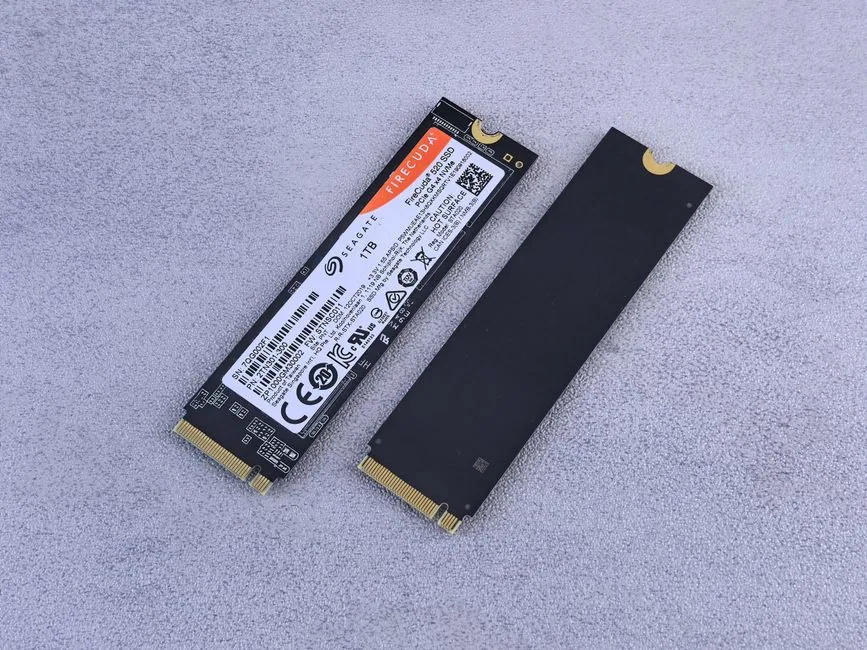
This is the requirement most listings bury. Sony’s language isn’t optional: a “cooling structure, such as a heatsink and a heat transfer sheet” is required for any M.2 SSD installed in a PS5.
That leaves two paths. Buy a drive with a heatsink already attached — Samsung’s 990 PRO and Seagate’s FireCuda 530 both ship this way — or buy a bare drive and add a separate heatsink or heat-transfer sheet yourself. Sony notes that heatsink sizes vary widely between manufacturers, and recommends checking a vendor’s specific dimensions before buying, since a heatsink that’s too tall will blow past that 11.25mm thickness ceiling.
Step 4 — Check Capacity: 250GB to 8TB
Sony’s supported range runs 250GB to 8TB. In practice, the drives we confirmed cluster lower than that ceiling — Samsung’s 990 PRO and Seagate’s FireCuda 530 both top out at 4TB in the versions we checked. An 8TB drive is within spec; it’s just not what the two manufacturer pages we opened were selling at the high end.
Below 250GB isn’t an option Sony lists at all, so a smaller spare M.2 drive from another device won’t be eligible regardless of interface or speed.
Where People Get Stuck: Gen5, HMB, and Specs Nobody Confirmed
A few claims show up constantly in PS5 SSD threads and roundups. Here’s where each one actually stands after checking Sony’s page directly.
PCIe Gen5 drives working in a PS5, capped at Gen4 speeds. This shows up in search summaries, but it isn’t in the Sony support text we fetched directly. Don’t treat it as confirmed Sony policy until it turns up in Sony’s own wording.
The PS5 not supporting Host Memory Buffer (HMB), and HMB-reliant drives running slower as a result. Same situation — it’s circulating, but it wasn’t present in the page we pulled from Sony. Unconfirmed.
Three other drives from Engadget’s roundup — Corsair’s MP600 Pro LPX, Crucial’s T500 Gen4, and Sabrent’s Rocket 4 Plus — all come from a single roundup (Engadget), not from a manufacturer page we checked ourselves:
| Drive | Sequential read / write (as listed) | Max capacity | Heatsink |
|---|---|---|---|
| Corsair MP600 Pro LPX | 7,100MB/s / 6,800MB/s | 8TB | Pre-installed |
| Crucial T500 Gen4 | 7,300MB/s / 6,800MB/s | 4TB | Optional |
| Sabrent Rocket 4 Plus | 7,000MB/s / 6,600MB/s | 8TB | PS5-optimized, included |
None of those three rows have been checked against the manufacturers’ own spec pages here. They’re plausible — the numbers sit in the same range as the drives we did confirm — but they’re single-sourced, and that’s worth knowing before you buy on the strength of a roundup alone.
The WD SN850X situation bothered me more than any of this: its own maker’s website wouldn’t even load a spec page for us.
If You’d Rather Not Chase Down Every Spec
Two shortcuts, with their own limits.
Buy a drive explicitly labeled “PS5 compatible” by the manufacturer, the way Samsung markets the 990 PRO. It doesn’t remove Sony’s disclaimer about guaranteed compatibility, but it puts the burden of matching the spec sheet on the seller instead of you. Matching every line in Sony’s spec still doesn’t guarantee the console will see the drive once it’s installed — if it doesn’t, troubleshooting a PS5 SSD that isn’t detected is a separate, more common problem than compatibility itself.
Or skip internal expansion entirely and use external storage — with a real limit attached. Samsung’s T7 external SSD, connected over USB 3.0, reads at 1,050MB/s. Engadget’s rundown is plain about what that buys you: external drives can store PS5 games, but the console won’t run them directly off that connection. You’d still need to move a game back to internal storage to play it. (If you’re weighing the same kind of external drive for backups on a Mac, the filesystem format you format it with matters just as much.)
FAQ
Does the PS5 support PCIe Gen5 SSDs? Not confirmed. That claim only turned up in an AI-generated search summary, not in Sony’s own support page text as fetched directly today. Don’t buy a Gen5 drive expecting official PS5 backing until Sony states it directly.
Is a heatsink actually required, or just recommended? Required, per Sony’s wording — “effective heat dissipation with a cooling structure” is listed as a need, not a suggestion. It can come pre-attached on the drive or be added separately, as long as the total thickness stays under 11.25mm.
Can I just use an external SSD instead of installing an internal one? Only for storage, not for playing. The one external drive figure we have — Samsung’s T7 at 1,050MB/s over USB 3.0 — can hold PS5 games, but games have to be moved to internal storage to actually run. That’s based on a single example device from a roundup, not a broader test of external drives.
My guess: Sony already tolerates Gen5 drives running at Gen4 speeds and just hasn’t bothered to say so — but that’s a guess, not a quote. Whether Sony states a Gen5 or HMB position outright, and whether WD’s spec page loads again, are both worth checking back on before this list gets treated as final.
Sources: Sony PlayStation support, “How to add an M.2 SSD to a PS5 console”; Engadget, “The best SSDs for PS5 in 2026”; Samsung’s 990 PRO w/ Heatsink product page; KingSpec’s PS5 SSD buying guide; Seagate’s FireCuda 530 installation blog post.
Image credits
- Photo by Andrey Matveev on Pexels
- Photo by Kerde Severin on Unsplash